

Compliance Gating (PureFi)
PureFi is a compliance layer that combines off-chain AML checking with on-chain verification gating. Rather than running AML logic inside your contract, PureFi's off-chain issuer validates a signed request and returns a cryptographic payload — your contract then calls the PureFi Verifier with that payload, which either reverts (compliance check failed) or returns cleanly so your business logic can proceed.
The critical mental model: your contract is not monitoring logs. It is making a synchronous call to the PureFi Verifier and blocking on the result.
How PureFi Works
The full integration flow, from user action to business logic execution:
- Your frontend or backend builds a verification request —
package type,rule ID,from(user wallet),to(your contract) - The user's wallet signs the request payload via EIP-712
- Your frontend/backend submits the signed payload to the PureFi issuer
- The issuer runs the AML check off-chain — if it passes, it returns a
_purefidatabytes string - Your contract receives
_purefidataand callsverifier.validatePayload(_purefidata)— the call reverts if validation fails - Only after a clean return from the Verifier does your contract execute its business logic (mint, swap, access grant, etc.)
Step 1: Install the PureFi Solidity SDK
Foundry:
forge install purefiprotocol/sdk-solidity-v5
Then add to remappings.txt:
@purefi-sdk-solidity-v5/=lib/sdk-solidity-v5/src/
npm:
npm i @purefi/sdk-solidity-v5
Step 2: Implement the Verifier in Your Contract
Import the two core interfaces:
import {IPureFiVerifier} from "@purefi-sdk-solidity-v5/interfaces/IPureFiVerifier.sol";
import {PureFiDataLibrary} from "@purefi-sdk-solidity-v5/libraries/PureFiDataLibrary.sol";
The recommended pattern is to extend the base receiver and override it with the Horizen mainnet deployment:
abstract contract PureFiSdkVerifiedReceiverBase {
    using PureFiDataLibrary for bytes;

    IPureFiVerifier public immutable verifier;
    uint256 public immutable expectedChainId;

    constructor(address verifier_, uint256 expectedChainId_) {
        verifier = IPureFiVerifier(verifier_);
        expectedChainId = expectedChainId_;
    }

    function submitPureFiPackage(bytes calldata purefiData) external returns (bytes32 purefiDataHash) {
        if (block.chainid != expectedChainId) revert WrongChain(expectedChainId, block.chainid);

        verifier.validatePayload(purefiData);

        bytes calldata package_ = purefiData.getPackage();

        purefiDataHash = keccak256(purefiData);

        lastFrom = package_.getFrom();
        lastTo = package_.getTo();
        lastRule = package_.getRule();
        lastPackageType = package_.getPackageType();
    }
}
Extend this for Horizen mainnet with the hardcoded verifier proxy address and chain ID:
contract PureFiSdkVerifiedReceiverHorizenMainnet is PureFiSdkVerifiedReceiverBase {
    address public constant PUREFI_VERIFIER = 0x681Edd4906e2a0a277E2A6c394A4595f83e1329c;
    uint256 public constant HORIZEN_MAINNET_CHAIN_ID = 26514;

    constructor() PureFiSdkVerifiedReceiverBase(PUREFI_VERIFIER, HORIZEN_MAINNET_CHAIN_ID) {}
}
verifier.validatePayload(purefiData) is a synchronous external call. If the Verifier reverts for any reason — invalid payload, failed compliance check, wrong chain — the entire transaction reverts and none of the subsequent code in your contract executes.
The Verifier address is a proxy. When your contract calls it, the proxy delegatecalls to the implementation contract, which performs signature and payload verification. On success, it returns to the proxy, which returns to your contract. There is no log-watching — this is a real blocking call with a synchronous result.
Step 3: Build the Off-chain Integration Flow
In production, your frontend or backend is responsible for steps 1–3 of the flow. Playground (covered below) lets you run through these manually before wiring them into your app.
1. Construct the payload
Build the request with these fields:
| Field | Description |
|---|---|
package type | Determined by your PureFi subscription configuration |
rule ID | The compliance rule to evaluate |
from | The user wallet address being checked |
to | Your target contract address |
2. Request user signature
Prompt the user's connected wallet to sign the payload via EIP-712. The signature is included in the body sent to the issuer.
3. Call the PureFi issuer
Submit the payload and signature to the issuer endpoint. If the AML check passes, the issuer returns a _purefidata bytes string. If it fails, no _purefidata is returned and you should not attempt to submit a transaction.
Step 4: Submit the Transaction
Pass the _purefidata bytes string returned by the issuer as the argument to your contract's verification method:
// Your contract method that accepts the purefiData
function yourMethod(bytes calldata purefiData, /* ...other args */ ) external {
    verifier.validatePayload(purefiData);
    // business logic only runs if the line above doesn't revert
}
From your frontend, call this method with purefiData as the argument after receiving it from the issuer.
Testing with Playground
PureFi's Playground lets you manually run the complete flow — construct a payload, sign it, call the issuer, and submit the resulting _purefidata to your contract — without writing any frontend code. Use it to verify your integration before wiring up your own app.
Playground is a debugging and learning tool, not a production entry point.
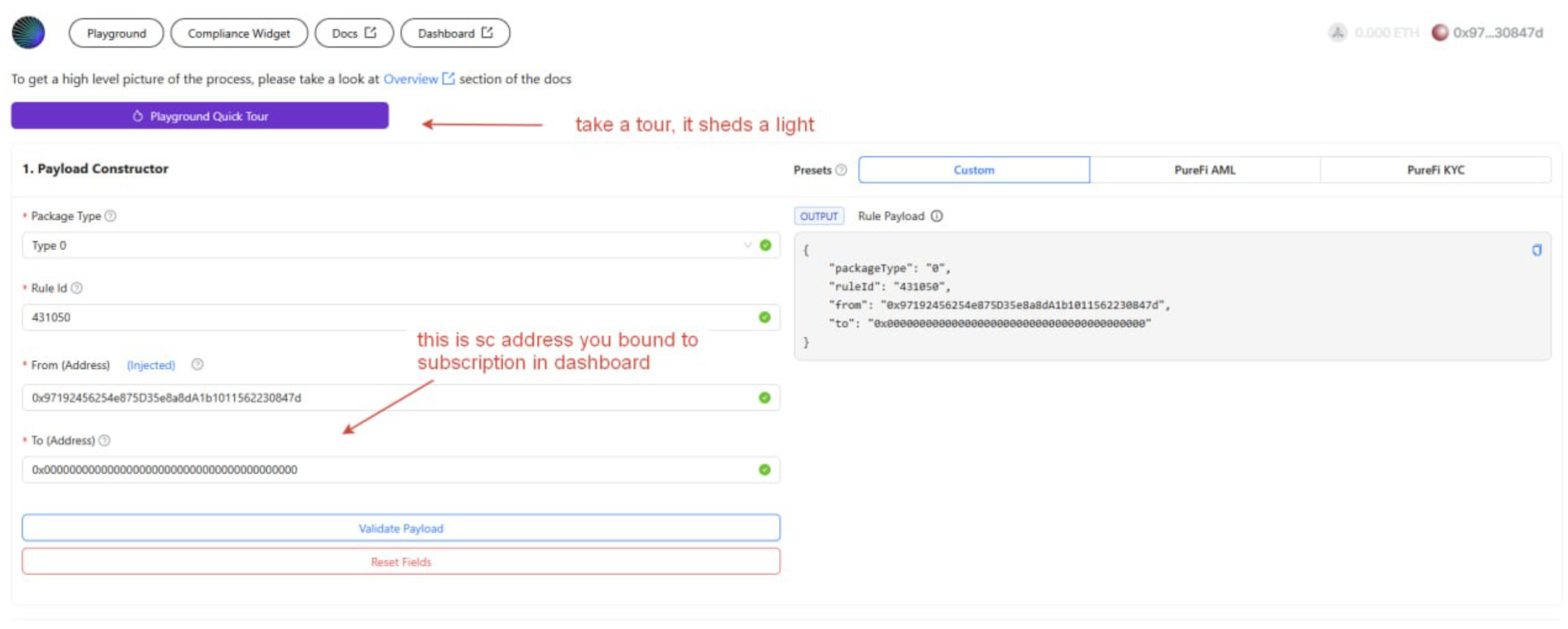
Payload Constructor
Set the package type, rule ID, from (your test wallet), and to (your deployed contract address) to generate the payload for the issuer.
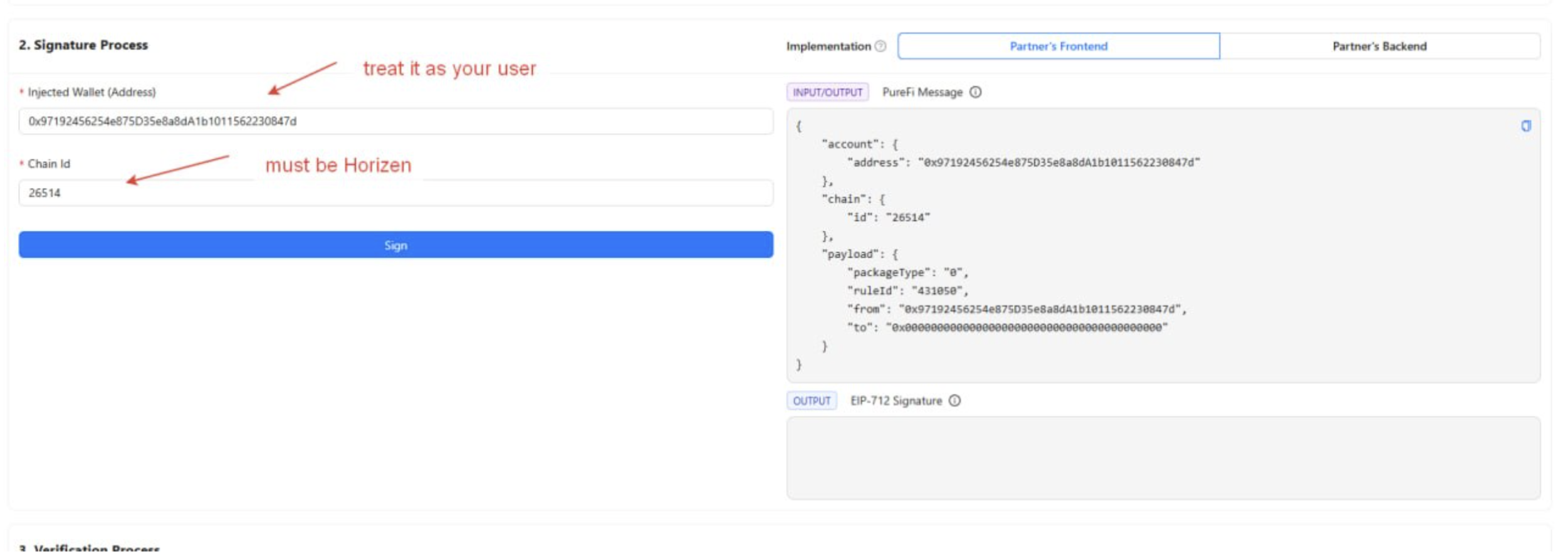
Signature Process
Connect your browser wallet. The chain ID must match the target network. After confirming, the wallet produces the EIP-712 signature included in the next step.
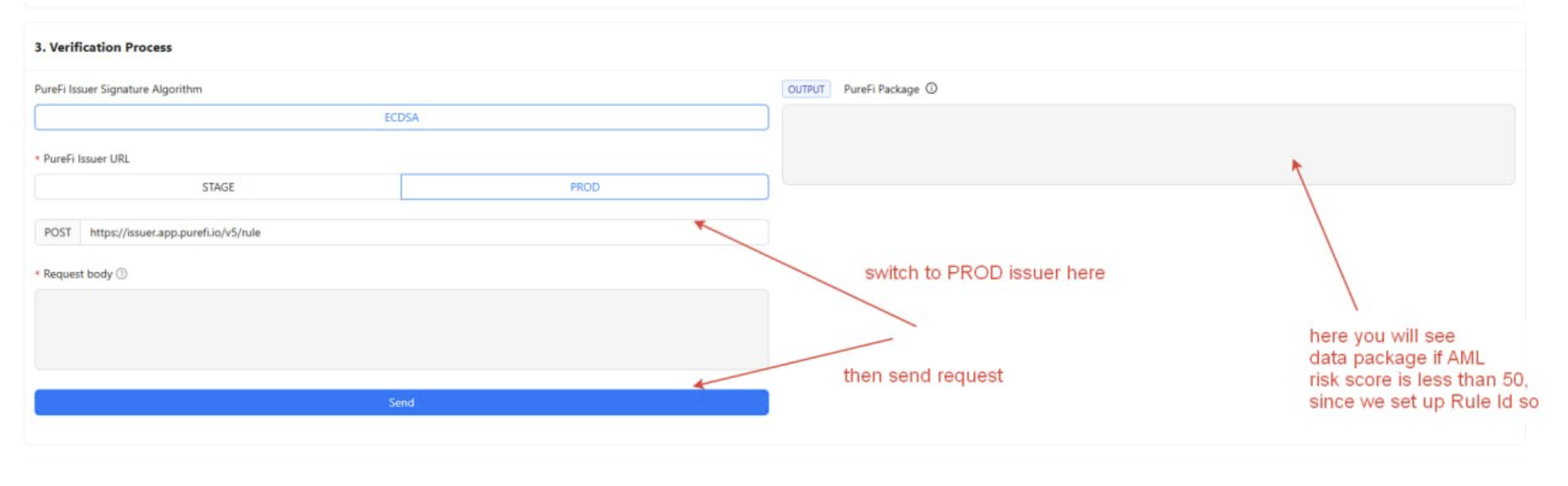
Verification Process
Select the issuer environment and submit. A successful response returns the _purefidata string you will use on-chain.
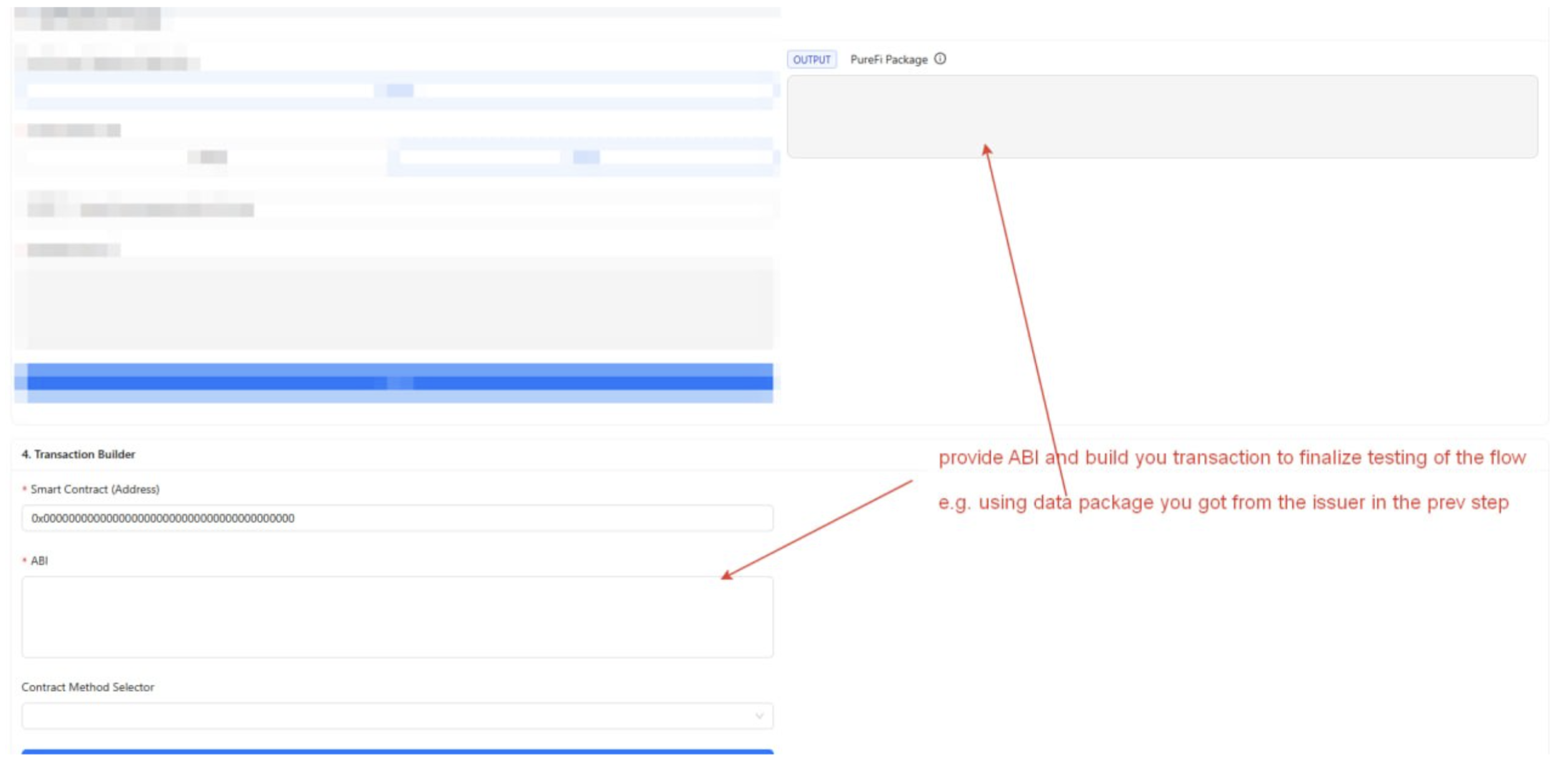
Transaction Builder
Paste your contract address, ABI, and select the method that accepts _purefidata. Fill in the returned _purefidata as the parameter and submit the transaction.
Horizen Mainnet Deployment
| Value | |
|---|---|
| SDK version | @purefi/sdk-solidity-v5@5.2.0 |
| Verifier proxy | 0x681Edd4906e2a0a277E2A6c394A4595f83e1329c |
| Verifier implementation | 0x61C468B554B6F0b0842242F7Df079bb392EE0555 |
| Chain ID | 26514 |
Register your deployed contract against your PureFi subscription in the PureFi Dashboard before testing.
Debugging: Success and Failure Indicators
Signs the integration is working:
- The issuer returns a non-empty
_purefidatastring validatePayload(...)does not revert- Your business logic executes after the verification call
- Your contract emits its own success event
- The subscription usage count in the Dashboard decrements as expected
Signs something is wrong:
- The issuer returns no data or an error — the compliance check failed; do not submit a transaction
validatePayload(...)reverts — the payload is invalid, stale, or was submitted to the wrong chain/contract- The transaction fails — check that your contract address is registered in the Dashboard and that you are using the correct verifier proxy address for Horizen mainnet